
3D websites win awards, get shared and make brands look like they’re from the future. They can also take ten seconds to load on a phone. The trick is knowing which kind of 3D your site actually needs — a full WebGL scene, or 3D-looking motion that’s light enough for a business website.
Here are 4 real 3D website examples, the three ways sites create depth, what each one costs in performance, and how to add 3D effects in Elementor without code. Screenshots show the first screen of each site as it looked in September 2026.
What is a 3D website?
A 3D website uses three-dimensional graphics or motion — objects you can rotate, scenes with depth, elements that move in 3D space — instead of flat layouts. It can be built with real-time 3D (WebGL libraries such as Three.js), with CSS 3D transforms, or with scroll effects that create a strong sense of depth.
4 real 3D website examples
1. Lusion: 3D objects as the hero
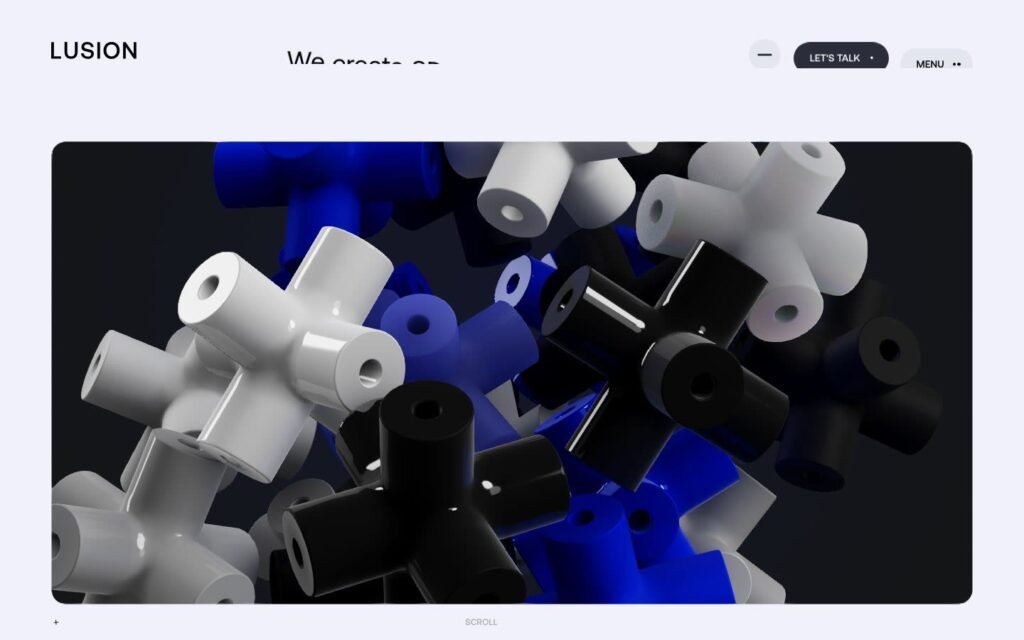
The studio’s homepage opens with a pile of glossy 3D shapes rendered in real time. It shows the studio’s craft before a single word is read — the site is the portfolio.
2. Spline: the product is 3D, so the site is too
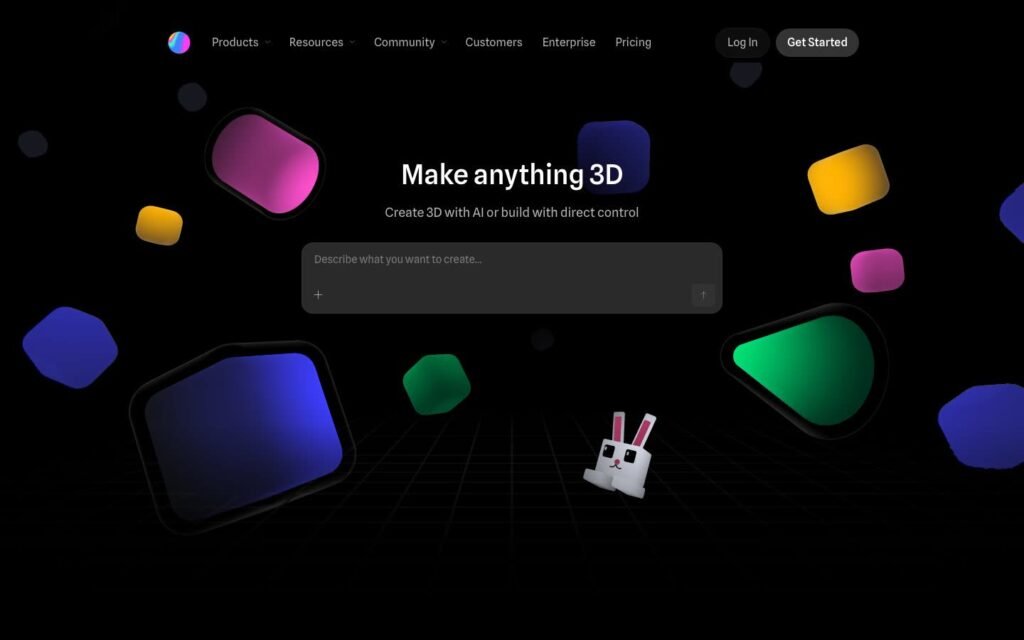
Floating 3D shapes surround a short headline ("Make anything 3D") and a prompt box to start creating. The page demonstrates what the tool does in the first second.
3. Igloo Inc.: a full 3D scene
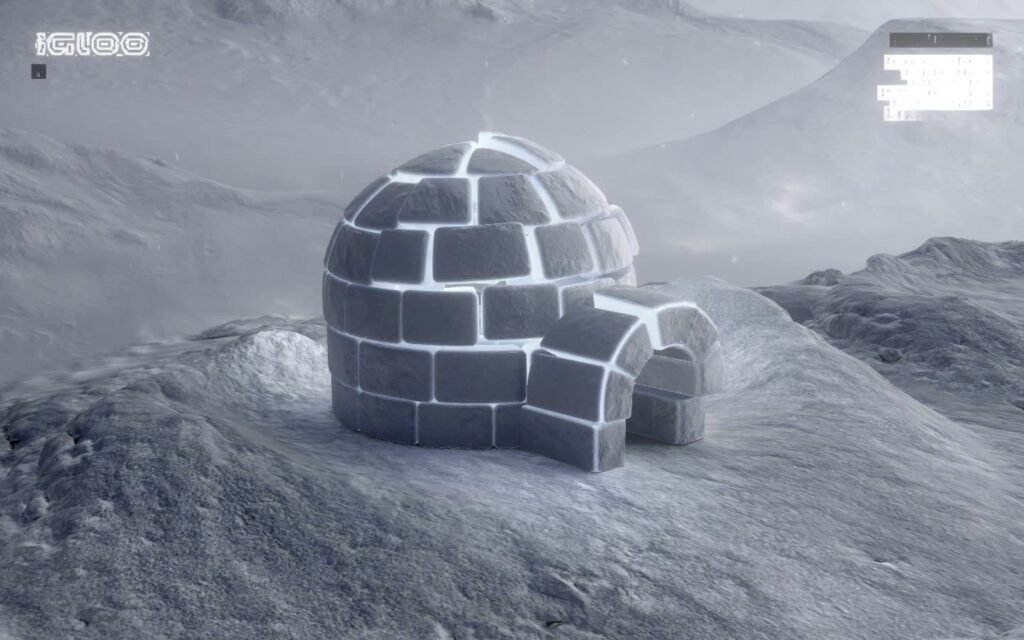
A snowy landscape with a detailed igloo, rendered in 3D. It’s an immersive, almost game-like first impression — memorable, but heavy, and only right for brands where the experience is the message.
4. Stripe Sessions: 3D as a brand element
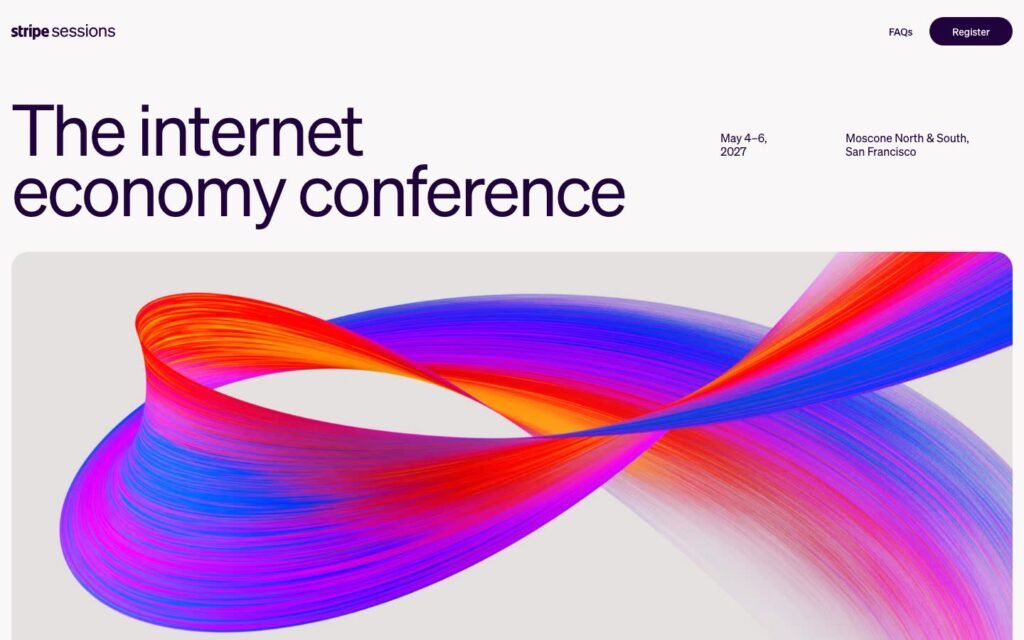
A clean conference page — title, date, location, register button — with one large 3D ribbon of color. The 3D element carries the brand without getting in the way of the information.
Three ways to create 3D on a website
| Approach | How it works | Performance cost | Good for |
|---|---|---|---|
| WebGL (Three.js, Spline) | Real-time 3D rendering on a canvas | High | Studios, product showcases, experiences |
| CSS 3D transforms | Elements rotated and positioned in 3D space | Low | Card flips, 3D galleries, tilts |
| 3D-looking scroll effects | Scale, depth and layering driven by scroll | Low | Business sites, landing pages |
For most business and marketing sites, the second and third approaches give 80% of the "wow" at a fraction of the weight.
Adding 3D effects in Elementor
You don’t need Three.js to add depth to an Elementor page. A 3D gallery that moves as you scroll is one example:
That’s one of the Pro Effects scroll effects for Elementor. Other depth effects: Scroll Stack (sections sliding over each other), Stacked Cards and Expanding Cards. Elementor Pro also includes a 3D tilt effect that reacts to the mouse (Advanced → Motion Effects → Mouse Effects). You can try Pro Effects free, no credit card required.
Performance rules for 3D websites
- Keep the 3D where it earns its place — usually the hero or one showcase section.
- Provide a fallback image for devices that can’t render WebGL smoothly.
- Compress 3D models and textures; they’re often the heaviest assets on the page.
- Test on a mid-range phone, not only on your laptop.
- Respect reduced motion for visitors who ask for it.
For more ideas, see our website animation examples and parallax scrolling guide.
FAQ
How do I make a 3D website?
Choose the approach first: a WebGL library such as Three.js (or a tool like Spline) for real 3D scenes, CSS 3D transforms for light effects like card flips, or scroll effects that create depth. In Elementor, plugins let you add 3D-style effects without code.
Are 3D websites bad for SEO?
Not by themselves, but heavy 3D scenes can slow the page, and content inside a canvas isn’t readable by search engines. Keep important text in HTML and the page fast.
Can I add 3D to WordPress?
Yes. You can embed 3D scenes from tools like Spline, use plugins that add 3D effects to Elementor, or use Elementor Pro’s mouse tilt effect. Keep an eye on page speed, especially on mobile.
Do 3D websites work on mobile?
They can, but real-time 3D is demanding. Many sites show a lighter version or a static image on phones. Test on real devices before launching.
Depth that impresses without the weight. Add 3D-style effects to Elementor with Pro Effects — no code.