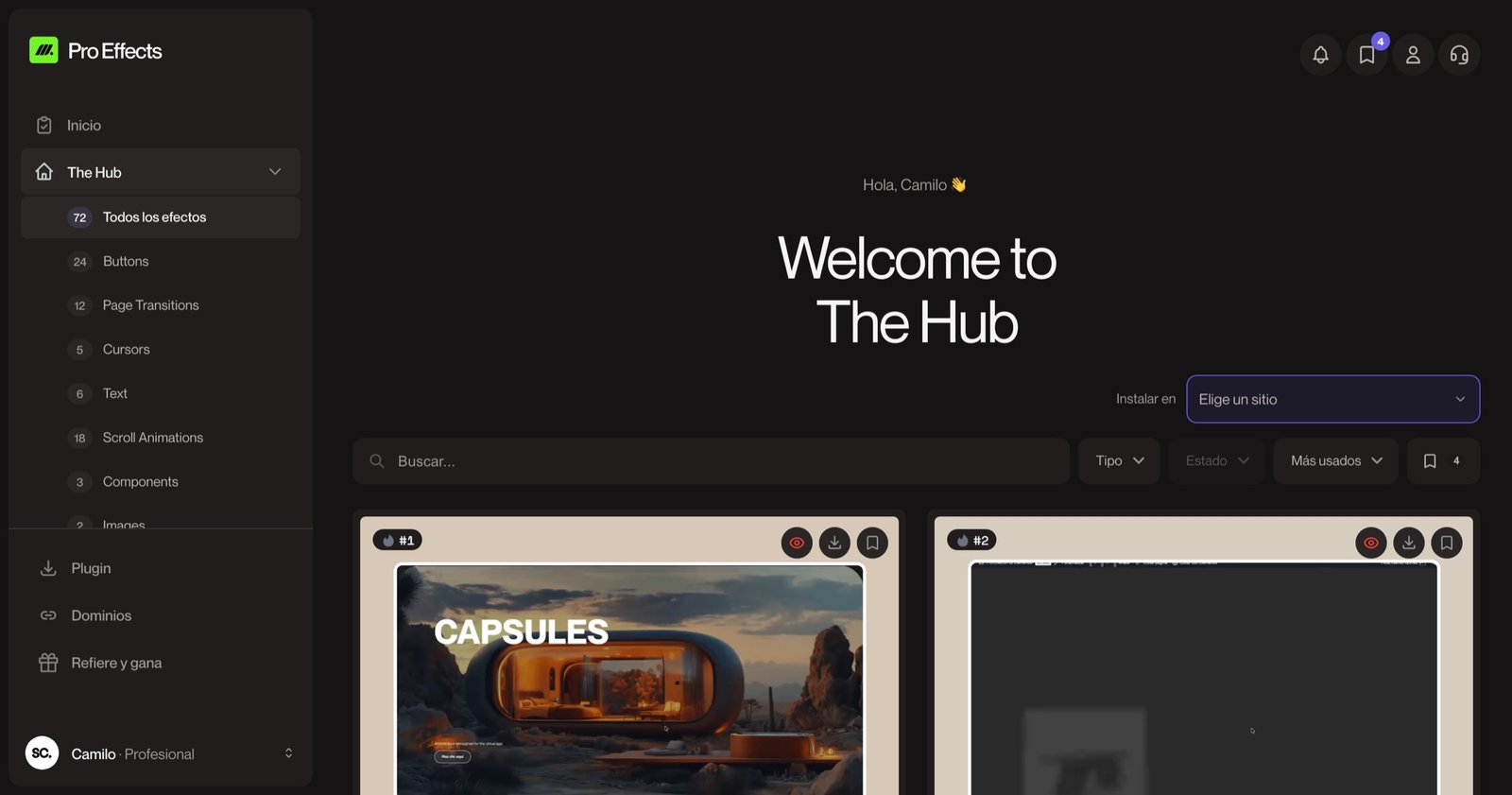
What's Inside
A growing library of production-ready GSAP effects, scroll animations, and UI widgets — designed to drop into any Elementor site without code.
Discover our library of 94+ ready-to-go effects, designed to be installed, configured, and published. Drag-and-drop into Elementor, or request a custom effect built exclusively for your project.
Install in seconds
Install the plugin and click “Connect with Pro Effects”: your site is linked in one click, no keys to copy. Then drag effects in Elementor.
Zero performance cost
Only the scripts for effects you actually use are loaded. Pages without Pro Effects widgets load zero extra bytes.
Always growing
New effects and UI components are added regularly. Your license includes every future addition — no upsells.
No conflicts
Isolated architecture per widget means Pro Effects won't break your existing plugins, theme, or Elementor setup.
Latest Effects
Take a peek inside our ever-growing collection. We've added 158 effects, with the latest addition 27 weeks ago.
Horizontal Slider
SCROLL ANIMATIONS
Float Image
IMAGE
Theme Zones
SCROLL ANIMATIONS
Listado Blur
SCROLL ANIMATIONS
Inside
Everything you need to take Elementor to the next level, in one place. Hover the dots and walk through the Hub before you sign up.


It is not a video: it is the effect running for real, so you see exactly how it moves before installing it.

Switch the preview between devices and check how it will look on every screen.

Bookmark the resources you like and find them in your favorites.

Pick your site and hit Install. The widget shows up in your Elementor panel.

WordPress, PHP, Elementor v3 and v4, browsers: everything checked before you install.

Every resource comes with a video tutorial and documentation for each setting.
Hub-wide search
Type what you are looking for and it shows up instantly, across every category.
Save resources
Bookmark your favorites with one click and keep your own library inside the Hub.
Responsive preview
Check every effect on desktop, tablet and mobile before adding it to your site.
Install from the Hub
Choose your site, hit Install and drag the widget in Elementor. No code, no uploads.
Tutorials and docs
A step-by-step video and every setting explained, plus the common questions answered.
24/7 support assistant
Kai knows every effect and answers right away in the chat. A human steps in when needed.
From install to live page
in under 5 minutes.
Connect your WordPress
Install the plugin, open License and click “Connect with Pro Effects”. Authorize in one click and you are done.
Explore the Hub
Search, preview live and save what you like. Every resource comes with a tutorial, docs and compatibility.
Drag it into Elementor
Install it from the Hub, drag it onto the canvas and tweak images, speed and colors from the controls. Zero code.